
Log a practice
Log today, yesterday or any earlier day, and add as much detail as you like: where, how far, how long.
Log today
Section titled “Log today”In the bot
Section titled “In the bot”- Send
/log(or/start). - Tap how the day went. For a practice, tap 🧘 Practiced.
- Done. The bot shows what it saved.
In the app
Section titled “In the app”Open the app and tap a status on the Today card.
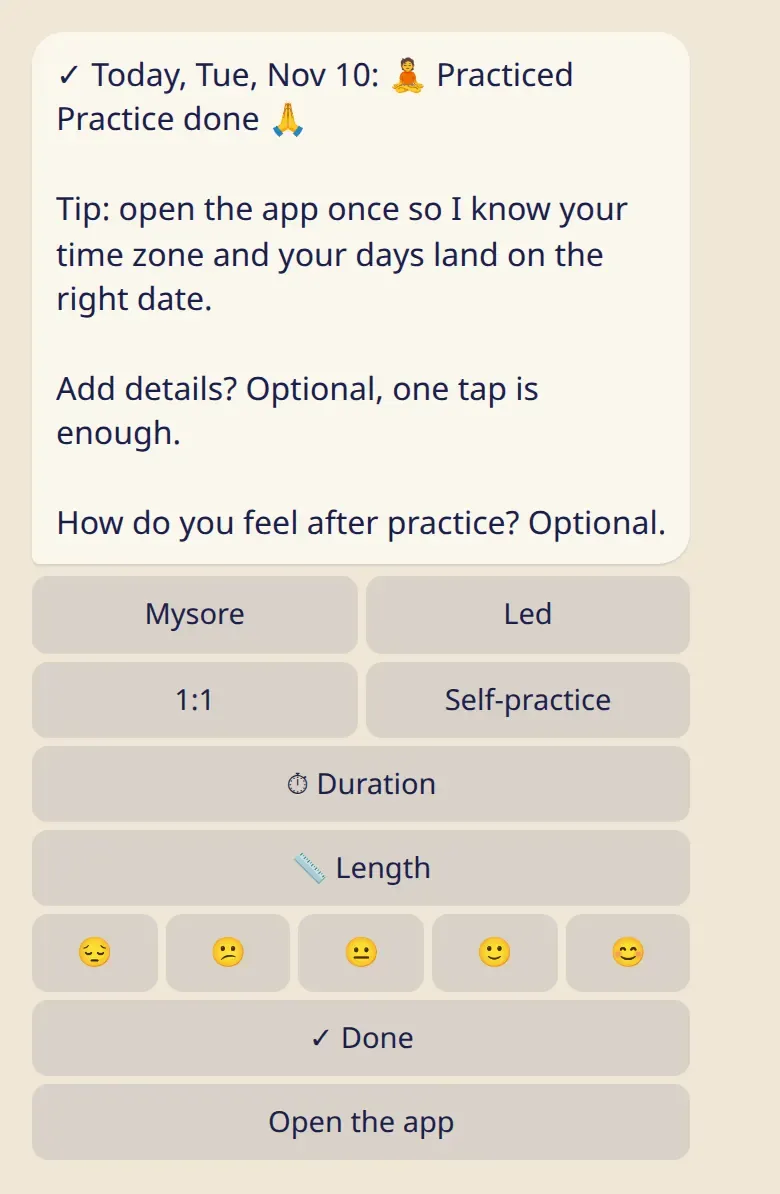
Add details (optional)
Section titled “Add details (optional)”One tap is enough. If you’d like more, right after logging a practice you can add:
- Where: Mysore, Led, 1:1 or Self-practice. Add 🌐 Online if it was online.
- How far: 📏 Length offers ☀️ Short → standing, ½ Primary → Navasana and Full Primary. 🎯 Other… lets you pick the series and your last asana.
- How long: ⏱ Duration, from 30 minutes to 3 hours.
- Start time: in the app only.
🔁 Same as last time copies the details of your previous practice in one tap.
Log an earlier day
Section titled “Log an earlier day”- In the bot: tap 📅 Another day, then pick the day. ‹ Earlier goes further back.
- In the app: open 📊 My practice, tap a day in the month calendar and choose its status.
Change or clear a day
Section titled “Change or clear a day”Open the day again. ✏️ Change picks another status, Clear removes the entry. Changing a practice day to rest also removes its details.
Good to know
Section titled “Good to know”- A short practice counts. Sun salutations, standing and finishing are a practice.
- 🌱 No practice is an honest answer, not a mark against you. Days you don’t log aren’t counted anywhere.
- One practice per day.
- If dates look a day off, open the app once so the bot learns your time zone.
- Rest days, moon days and 🌸
- My asanas: log your length in fewer taps.