
Reminders
A gentle daily nudge to log your practice, and a heads-up before moon days. You choose the time, and you can turn them off at any time.
The daily practice reminder
Section titled “The daily practice reminder”- Send
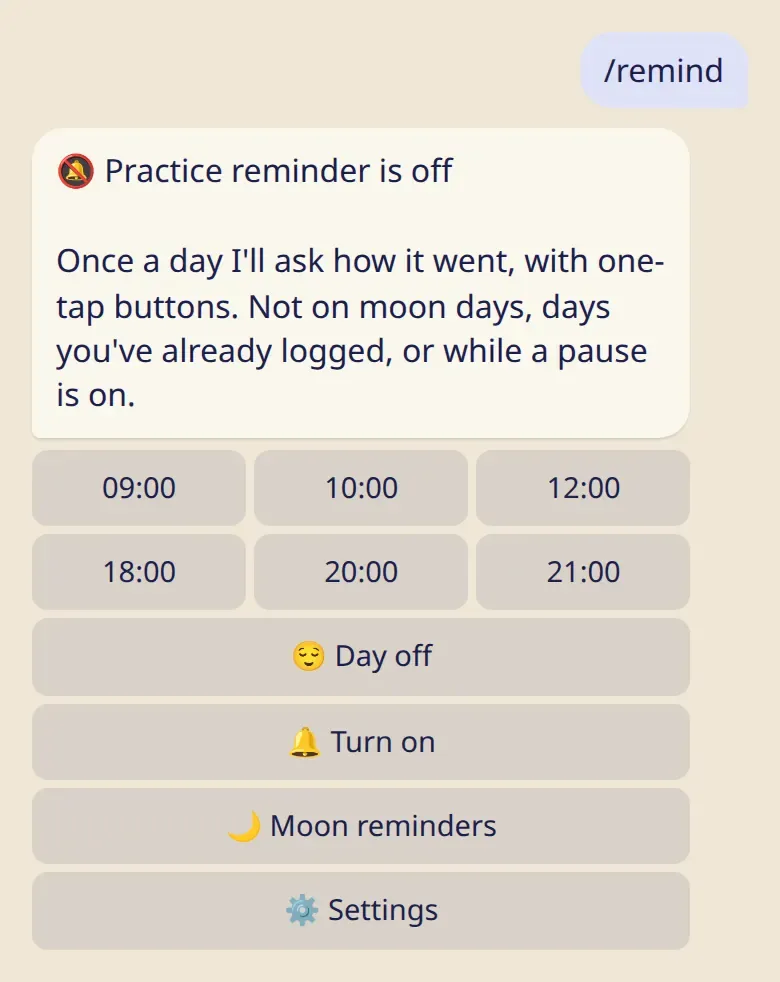
/remind. - Pick a time and tap 🔔 Turn on.
Once a day the bot asks how it went. You answer with one tap:
- ✅ Practiced, same as last time logs a practice with the same details as before;
- 🧘 Practiced… lets you add details;
- 😌 Rest day logs a rest day;
- 📅 Other… opens the full list.
The reminder does not come on your day off, on moon days, on days you have already logged, or during a pause (sick, traveling or 🌸).
Moon day reminders
Section titled “Moon day reminders”They are on from the start: 7 days and 1 day before each moon day, at 19:00 your time. Change the days or turn them off in /moon → 🔔 Reminders.
Quiet hours and a daily limit
Section titled “Quiet hours and a daily limit”Reminders don’t come between 22:00 and 07:00, and the bot sends at most 3 of them a day. Both can be changed in the app: ⚙️ Settings → Quiet hours.
Good to know
Section titled “Good to know”- Reminders are off until you turn them on. The bot offers to turn them on once, after your first practice.
- If you leave ten reminders unanswered, the bot stops asking and says so.
/remindbrings it back. - A reminder never changes a day you have already logged.
- Reminders need your time zone. Open the app once, or choose your city in
/settings.